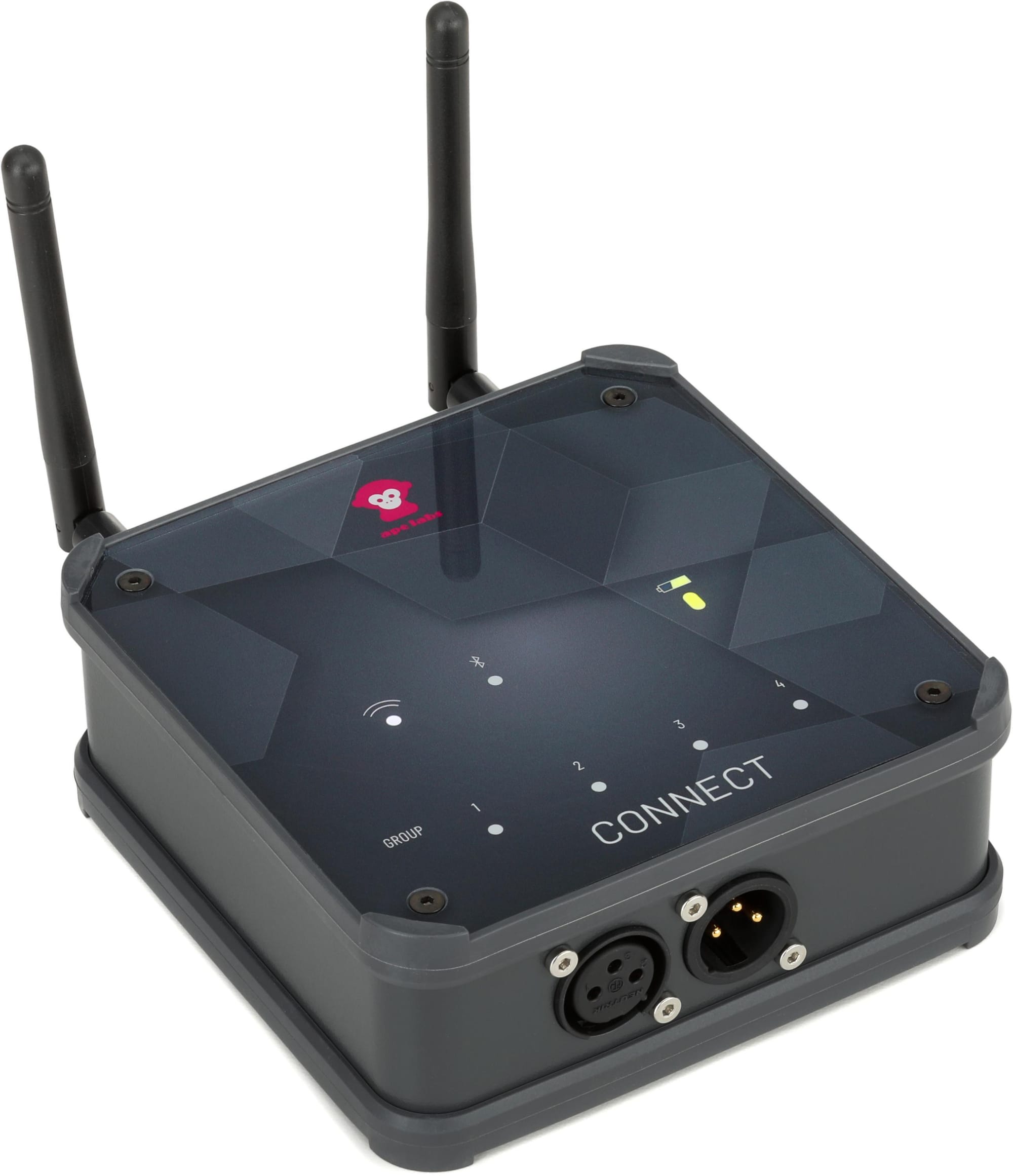
Ape Labs Connect: Why Your ApeRemote Is Just the Beginning
The ApeRemote is great. But it has a ceiling. The Ape Labs Connect removes it — custom scenes, unlimited groups, 1-mile range, and settings the remote never knew existed.

If you own Ape Labs lights, you probably already know the ApeRemote. It's a solid RF remote — 200-foot non-directional range, no line-of-sight required, works great. But it has a ceiling. You get preset colors and programs. You pick one group at a time, or all of them at once. That's the whole menu.
The Ape Labs Connect doesn't replace the remote. It replaces the ceiling.
What the Remote Can't Do
The ApeRemote gives you access to Ape Labs' built-in presets. That's it. No custom colors. No custom programs. No custom scenes. No ability to address specific groups simultaneously. No DMX. No run-time control. No firmware updates. No settings access whatsoever.
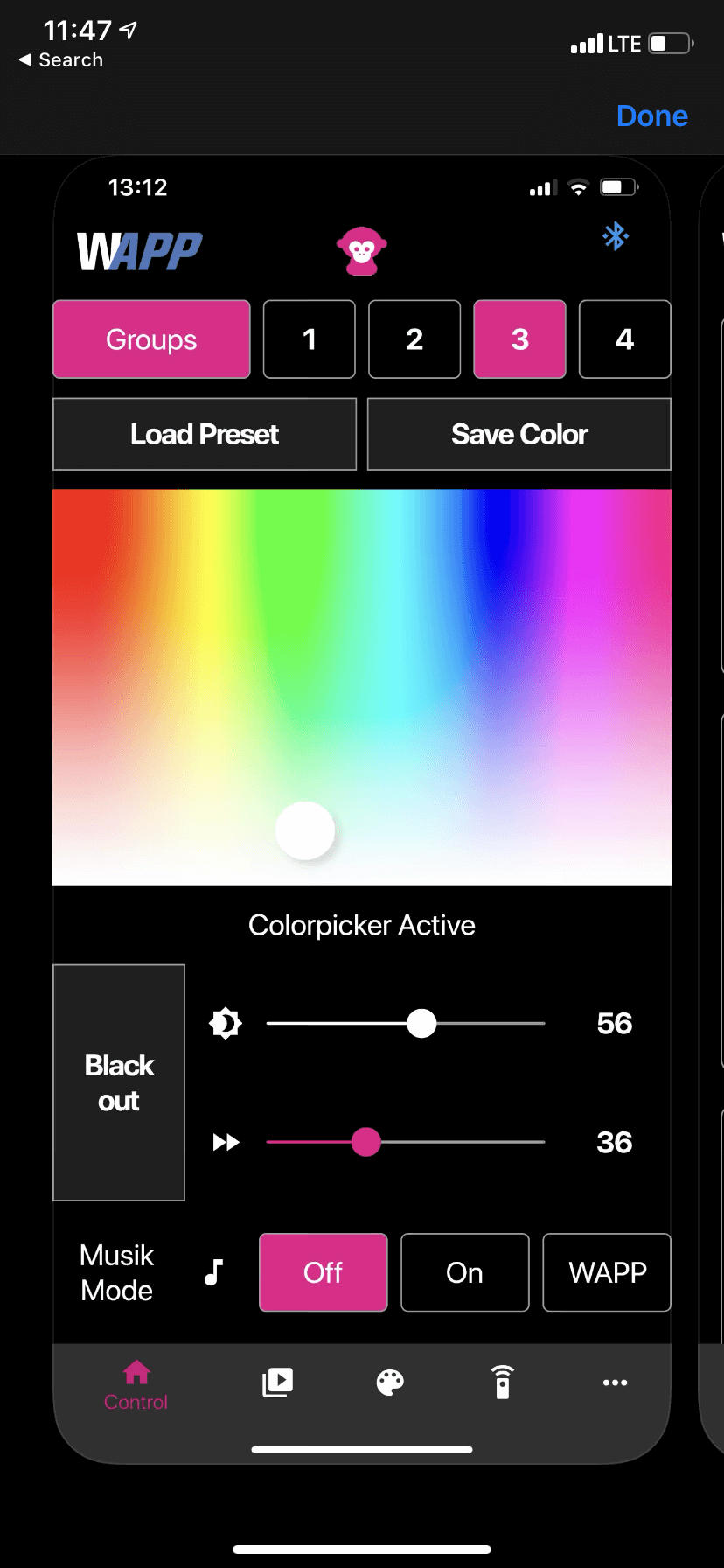
The Connect unlocks all of it — from your phone, via the free Connect app on iOS and Android.
Customization That Actually Matters
This is where the Connect earns its place in your kit. Instead of cycling through presets, you're building your own. Custom colors, custom programs, custom scenes — all created on the fly or downloaded directly from the Ape Labs community. Search for the type of event you're doing and find palettes and programs already dialed in for that vibe. Wedding reception? Corporate gala? High-energy club night? Someone has already built it.
Scenes are the real power move. A scene lets you set every group simultaneously — each with its own color, program, speed, dim level, and MusikMode setting. One tap and your entire rig transforms. The latest firmware adds unlimited groups, so as your rig grows, the Connect grows with it.
You can jump directly to any color, program, or scene without scrolling through menus. And unlike the remote — which forces you to choose between one group or all four — the Connect lets you select any specific combination of groups at once.
Settings the Remote Never Knew Existed
Beyond creative control, the Connect unlocks a layer of operational settings that most users don't even know are available:
- Run-time control — Set your fixtures to last up to 48 hours. The system automatically adjusts brightness to hit that target. You will never have a light die mid-reception again.
- Flicker Free Mode — Critical for video and broadcast environments. Eliminates the flicker that camera sensors pick up at certain frame rates.
- Battery indication on blackout — Choose whether the battery indicator light shows during a blackout command. Small detail. Huge deal when you're trying to achieve a true blackout on stage.
- Anti-theft mode — Lock your fixtures so they can only be controlled by your Connect. Useful for venues, rental houses, and anyone leaving gear unattended.
- Firmware updates — Push updates directly to your fixtures through the app. Ape Labs actively develops new features, and the Connect is how you get them.
Range and Battery
The ApeRemote reaches 200 feet. The Connect reaches one mile — roughly 5,280 feet. That's not a modest upgrade. That's a different category of control entirely. Rock-solid connectivity in large venues, outdoor events, multi-room setups, anywhere the remote would have struggled.
The Connect dongle itself runs 50 hours on a charge. Two full days of continuous operation. You will genuinely forget it needs power.
Bringing Other Fixtures Into the Ecosystem
The Connect also functions as a wireless DMX transmitter and receiver. This means non-Ape Labs wash lights can be brought into the Connect ecosystem and controlled alongside your Ape Labs fixtures. One app, one interface, everything in sync.
Worth noting: most people buy Ape Labs specifically because they don't want to deal with DMX. The Connect's app-based control is so comprehensive that the vast majority of users will never need it. But for integrators and advanced users who want that bridge, it's there.
The Remote and the Connect: Better Together
One thing worth knowing: the remote and the Connect aren't mutually exclusive. Your lights will respond to whichever one was used last — so your MC and DJ can each have a remote for basic control, while your lighting designer runs the app. Everyone has some level of control during the event, and nobody steps on each other. It's a surprisingly elegant multi-user setup for live events.
The Bottom Line
The ApeRemote is excellent for what it is. If you bought individual fixtures without a set or pack, you may not even have one yet. Either way, the Connect isn't a replacement for the remote — it's a replacement for the limitations of remote-only control. If you're building a serious Ape Labs rig, the Connect is the piece that makes it professional.
Check out the Ape Labs Connect at KPODJ. Free VIP pricing available — no coupon needed, just sign up.
Insight by Tom from KPODJ — hands-on notes from real-world use.